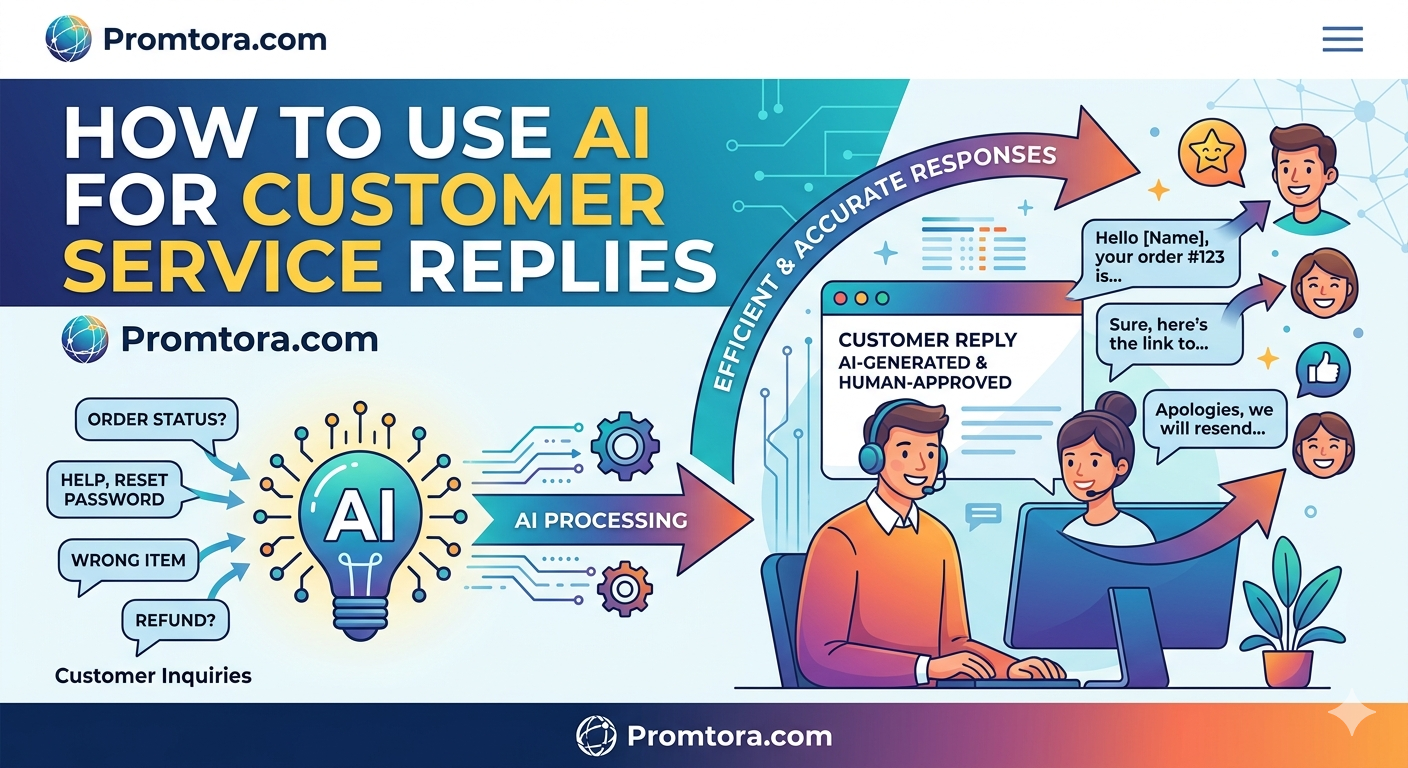
How to Use AI for Customer Service Replies
Customer service can make or break any business. Fast responses, clear communication, and professionalism are no longer optional—they’re expected.
The good news? Artificial Intelligence (AI) has made it easier than ever to handle customer service efficiently, even if you’re a solo entrepreneur or running a small business.
Promtora will help help you learn how to use AI for customer service replies, the tools you need, real examples, and how to do it the right way without sounding robotic.
Why Use AI for Customer Service?
Customers today expect:
- Instant replies
- Clear answers
- 24/7 availability
AI helps you deliver all three.
Key Benefits:
- Saves time and effort
- Handles multiple customers at once
- Reduces workload
- Improves response speed
- Maintains consistency
👉 Instead of replying to every message manually, AI helps you respond faster and smarter.
What AI Can Do in Customer Service
AI tools are now capable of handling most customer interactions.
Common tasks AI can handle:
- Answering frequently asked questions
- Responding to complaints
- Providing order updates
- Writing professional replies
- Translating messages
- Suggesting solutions
👉 Think of AI as your virtual customer support assistant.
Best AI Tools for Customer Service Replies
Here are some beginner-friendly tools you can start using immediately:
1. ChatGPT
- Generates human-like responses
- Handles complex customer queries
- Customizable tone (friendly, formal, apologetic)
2. Zendesk AI
- Automates support tickets
- Integrates with customer service platforms
- Ideal for businesses
3. Freshdesk AI
- Smart reply suggestions
- Chatbot automation
- Helps manage customer conversations
4. Tidio AI
- Live chat + chatbot
- Great for small businesses
- Works on websites
👉 You don’t need all of them—start with one and scale.
How to Use AI for Customer Service (Step-by-Step)
Let’s break it down into a simple workflow.
Step 1: Identify Common Customer Questions
Start by listing questions customers ask frequently, such as:
- “Where is my order?”
- “Can I get a refund?”
- “How long does delivery take?”
👉 These are perfect for AI automation.
Step 2: Create AI Prompts
AI works best when you give clear instructions.
Example prompt:
“Write a polite and professional reply to a customer asking why their order is delayed. Apologize and reassure them.”
👉 The better your prompt, the better your reply.
Step 3: Generate Responses Using AI
Paste your prompt into an AI tool and generate a response.
Example AI Reply:
“Hi there, thank you for reaching out. We sincerely apologize for the delay in your order. Due to high demand, shipments are taking slightly longer than expected. Rest assured, your order is on the way and should arrive soon. We appreciate your patience.”
👉 This saves you time while keeping your reply professional.
Step 4: Edit and Personalize
Never copy and paste blindly.
Always:
- Add the customer’s name
- Adjust tone if needed
- Include specific details (order number, timeline)
👉 This makes your reply feel human, not robotic.
Step 5: Save Templates for Reuse
Once you create good responses, save them.
You can build templates for:
- Refund requests
- Delivery delays
- Complaints
- Product inquiries
👉 Over time, you’ll build a complete customer service system.
VIEW ALSO : 10 Best AI Side Hustles That Actually Work
Types of Customer Service Replies You Can Automate
AI works best for repetitive tasks.
1. Order Status Replies
“Your order has been shipped and is expected to arrive within 3–5 business days.”
2. Complaint Responses
“Thank you for bringing this to our attention. We sincerely apologize for the inconvenience…”
3. Refund Requests
“We understand your concern. Please note that refunds are processed within 5–7 business days…”
4. Product Information
“Our product is made with high-quality materials and comes with a 1-year warranty…”
5. Welcome Messages
“Hi! Thanks for reaching out. How can we assist you today?”
Tips to Make AI Replies Sound Human
One common mistake is sounding robotic.
Here’s how to fix that:
1. Use a Friendly Tone
Avoid overly formal language unless necessary.
2. Add Personalization
Use:
- Customer names
- Specific details
- Unique responses
3. Keep It Clear and Simple
Don’t overcomplicate replies.
4. Show Empathy
Especially for complaints:
- “We understand your frustration…”
- “We truly apologize…”
5. Review Before Sending
Always double-check for accuracy.
👉 AI should assist you—not replace your judgment.
AI Customer Service for Different Businesses
E-commerce Stores
- Order tracking
- Refunds
- Product questions
Service-Based Businesses
- Appointment scheduling
- Service inquiries
- Follow-ups
Content Creators
- Responding to DMs
- Handling brand inquiries
- Managing audience engagement
Common Mistakes to Avoid
1. Fully Automating Without Oversight
Always monitor responses.
2. Ignoring Complex Issues
Some problems require human attention.
3. Using Generic Replies
Customers can tell when responses are copied.
4. Not Updating Information
Ensure your AI responses reflect current policies.
Advanced Tip: Combine AI + Chatbots
For better efficiency, combine:
- AI writing tools → for replies
- Chatbots → for automation
👉 This creates a 24/7 customer support system.
Final Thoughts
Using AI for customer service replies is no longer optional—it’s a competitive advantage.
It helps you:
- Respond faster
- Save time
- Improve customer satisfaction
- Scale your business
But remember:
👉 The goal is not to replace human interaction—it’s to enhance it.
When used correctly, AI allows you to deliver fast, helpful, and human-like responses every time.
Frequently Asked Questions (FAQs)
1. Can AI fully replace customer service agents?
No, AI can handle basic tasks, but complex issues still require human support.
2. Is it safe to use AI for customer replies?
Yes, as long as you review responses and ensure accuracy.
3. What is the best AI tool for customer service?
ChatGPT is one of the most flexible tools, while platforms like Zendesk and Freshdesk are great for businesses.
4. How do I make AI responses sound natural?
Add personalization, use a friendly tone, and always edit before sending.
5. Can small businesses use AI for customer service?
Absolutely. AI tools are affordable (or free) and perfect for small businesses looking to scale support.